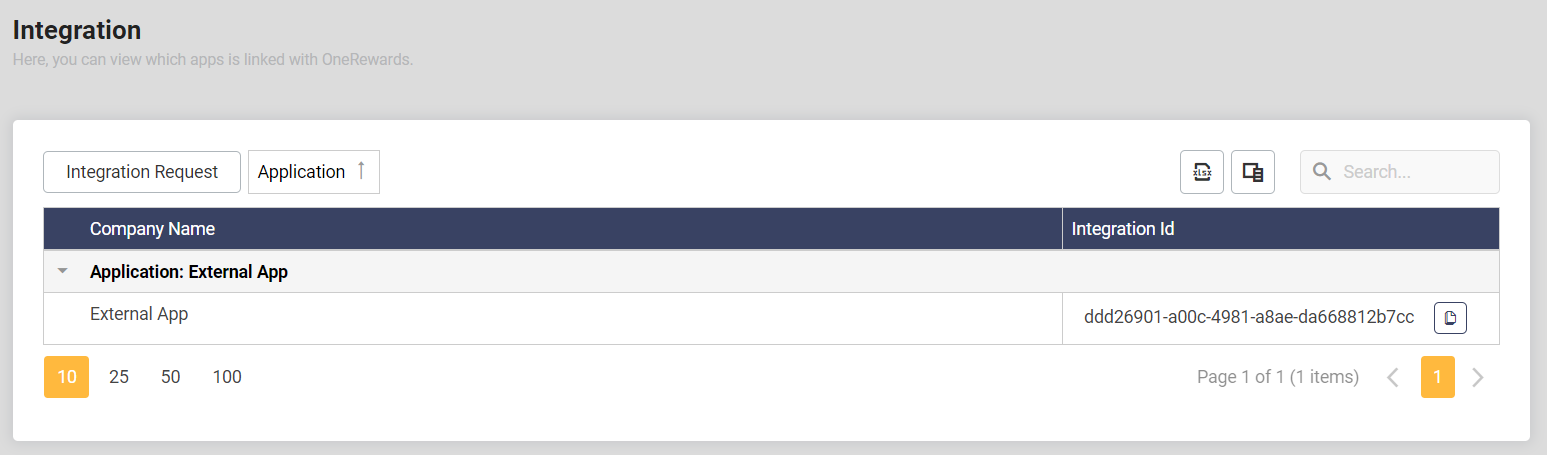
Create Integration
To start using the OneRewards Integration Api, users need to create an integration. It is used to uniquely identified the integration app that is integrated with your OneRewards company. This allow you identify the source of transactions.
This guide will help you initiate your first integration and provide a clear path to start using our API services effectively.
Add Integration Request
In order to create integration, you need to call Add Integration Request API method. The expected response body from the api call would be:
{
  "integrationId": null,
  "isApproved": false,
  "isPending": true,
  "isRejected": false
}
The field integrationId will be null as the request is still in pending.
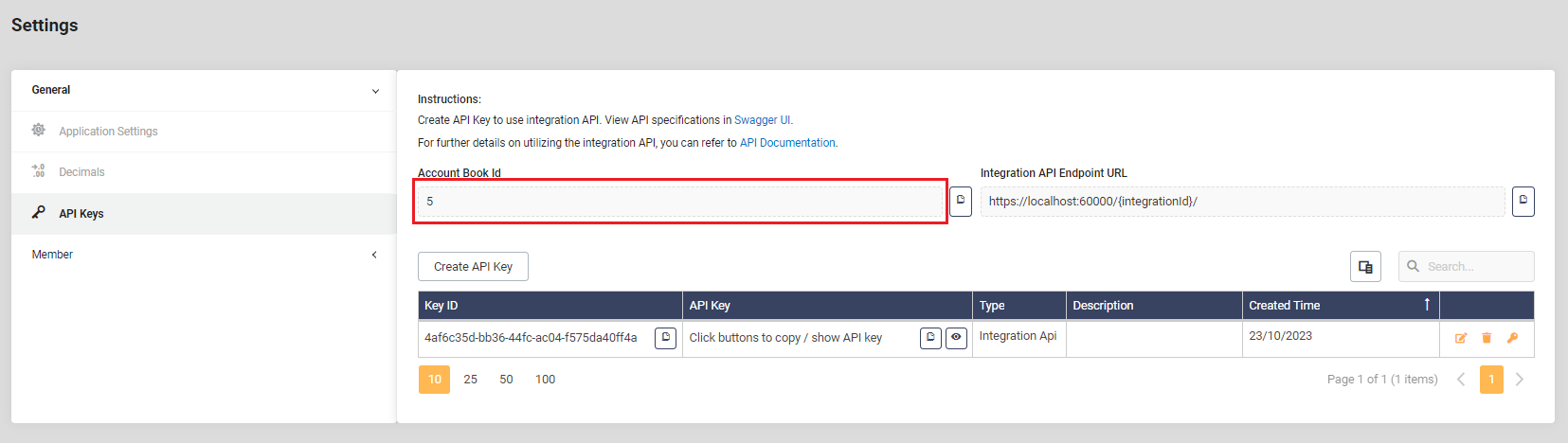
In request parameter, the field accountBookId is required. It is the id of the company that is auto-generated. To find your company acccountBookId, navigate to the "Settings" page within the OneRewards web application and select the "API Keys" tab.
Approve Integration Request
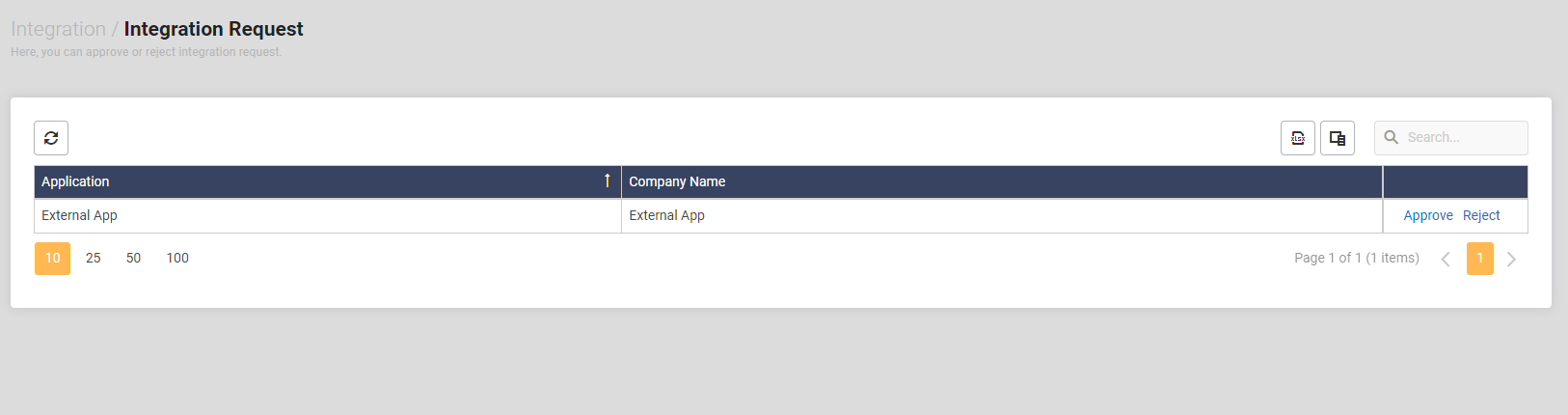
Once your integration request is created, it will be in a pending state until the owner of the account approves it. To approve the integration request, follow these steps:
- Log in to your OneRewards web application.
- Click on the "gear" icon located in the top-right corner.
- Select "Integration" from the dropdown menu.
- Click on "Integration Request" to review and approve the pending integration request.
After approval, you will receive an Integration Id, which is a unique identifier for your integration. You can use this Integration Id to make api calls to OneRewards Integration APIs.